
Step 1 - Log into the Customer portal: https://hampr.com.au/login
Step 2 - Click on 'Addresses' on the left navigation menu.
Step 3 - Click on 'Create new delivery address'
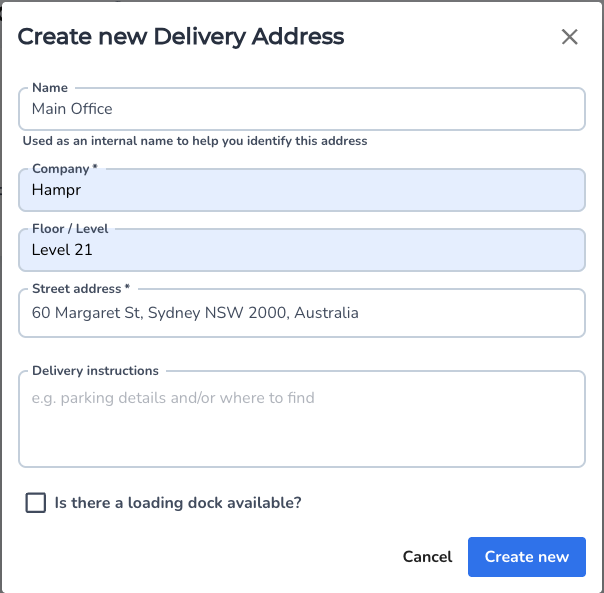
Step 4 - Create a name for your office, enter your address location and input delivery instructions
Step 5 - If you would like to set this delivery address as the default address for orders, click the tool icon on the top right and choose either 'Set as default for workspace' or 'Set as default for me'
Note: You can setup multiple delivery address for different levels of your building, or if you have multiple locations/offices your order for.
Comments
0 comments
Please sign in to leave a comment.