
1. Click Meals on the left navigation menu.
2. Select your Shared Meal Program at the top of the page.
3. Click the Configuration tab.
4. Update the delivery time, delivery address, delivery contact, and payment method as required.
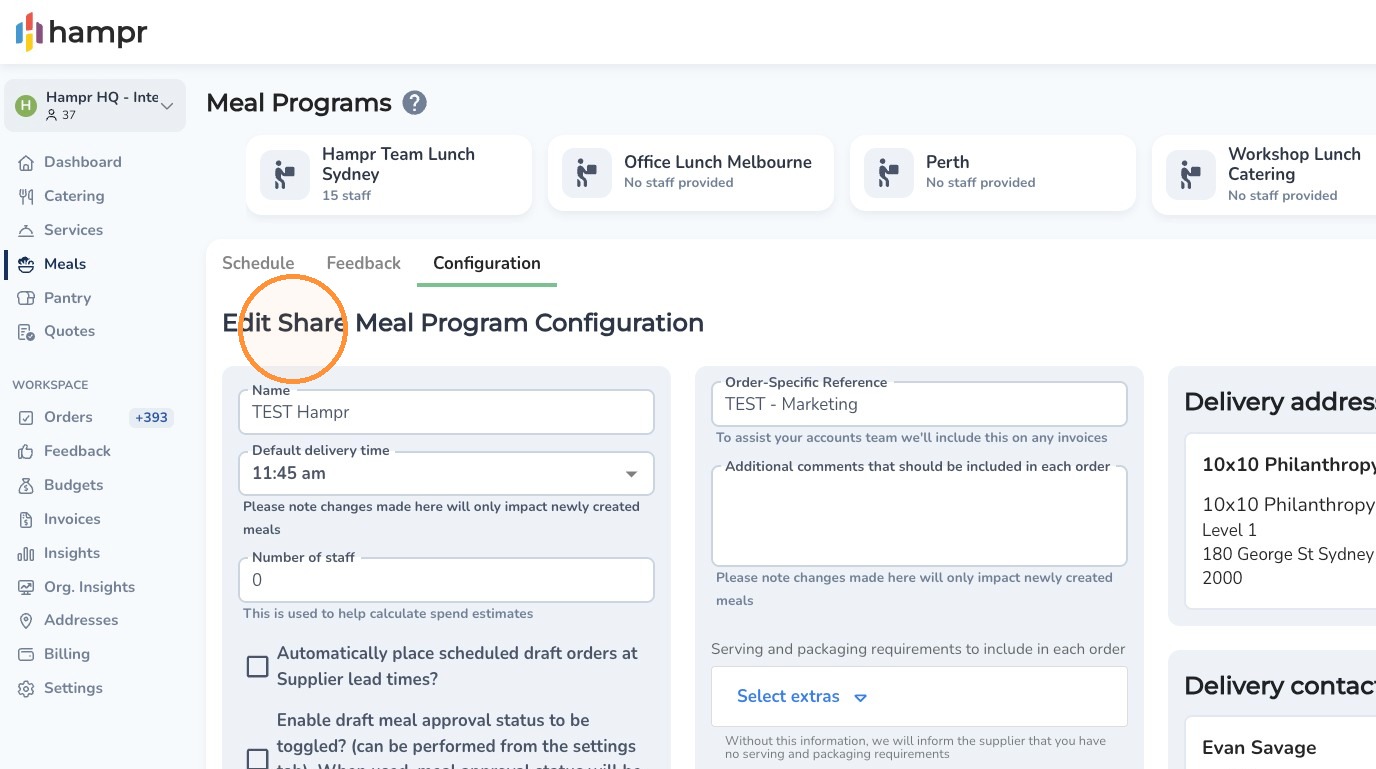
- To have orders placed automatically, tick Automatically place order.
5. Add any additional comments to include in each order if needed.
6. Enter notification email addresses.
7. Click Save Changes.
Comments
0 comments
Article is closed for comments.